
4 Output Mapping on ProPresenter With Decklink 8K Pro
4 Output Mapping on ProPresenter + Decklink 8K Pro
Intro
Despite what Renewed Vision tells you, it is seemingly possible to output 4 simultaneous outputs to the Decklink 8K Pro. This is a tested method running the latest firmware (as of Sept 1, 2025), the latest version of ProPresenter, and the following configuration. The Decklink card is on an Apple Silicon Mac Mini, connected via a Sonnet Echo Express SE1 over Thunderbolt 3. It results in:
- 1 Audience Screen (1 Fill Output + 1 Key Output)
- 2 Stage Screen (formerly called Stage Display) Outputs
For the purposes of ease of use, the label my connectors A1-A4 for "Computer A". Remember the connections arranged on the spigots of the 8K Pro as: PCIE side Ref, 1, 3, 2, 4.
Decklink Configuration
- Output A1 (Ref Side) - A1 Key
- Set to: "SDI 1 In or Out"
- Output A3 - A3 StgScn 1
- Set to: “SDI 3 In or Out”
- Output A2 - A2 Fill
- Set to: “SDI 2 In or Out”
- Output A4 - A4 StgScn 2
- Set to: “SDI 4 In or Out”
ProPresenter Configuration
ProPresenter appears to prefer the KEY of the Key/Fill pair first.
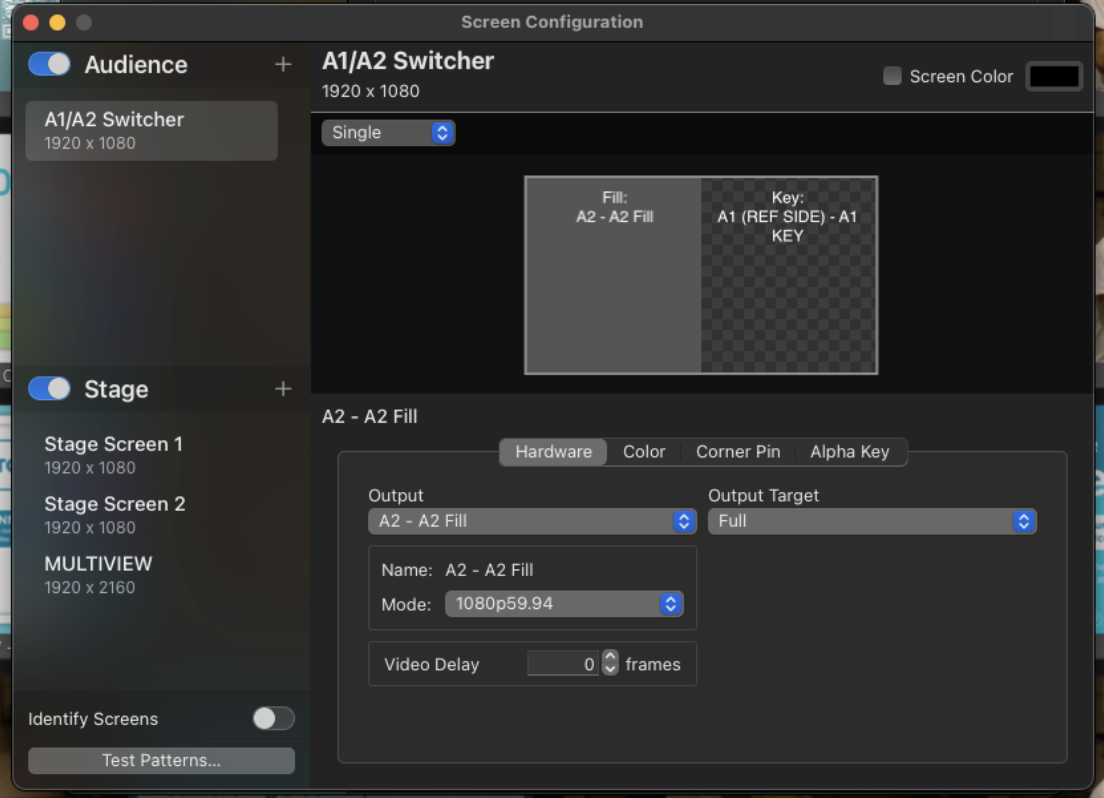
- Create a new “Audience Screen”
- On the Hardware tab, select Output “Output A2 - A2 Fill”
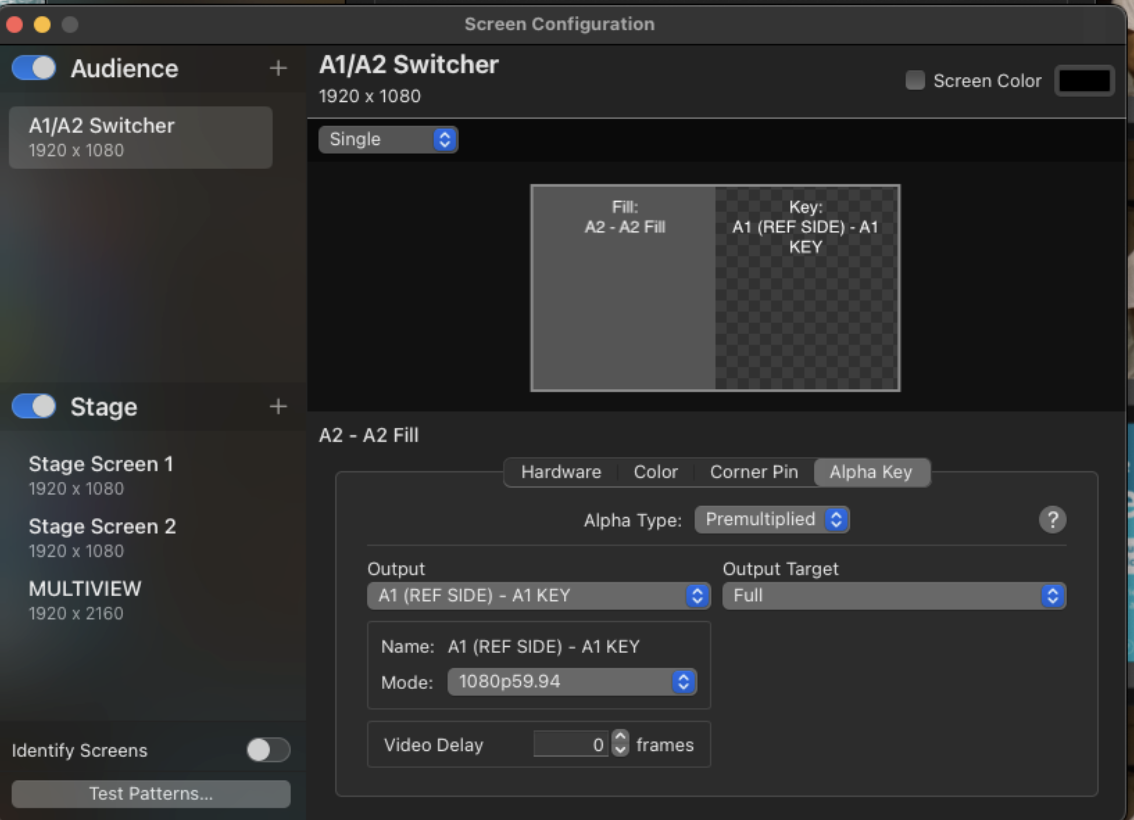
- On the Alpha Key tab set to Alpa Type to “Premultiplied”
- Set the Output to “Output A1 (Ref Side) - A1 Key”
- Create 2 new “Stage Screen”s
- On the “Hardware” tab of each, set Output to “A3 StgScn 1”, and “A3 StgScn 2”, respectively
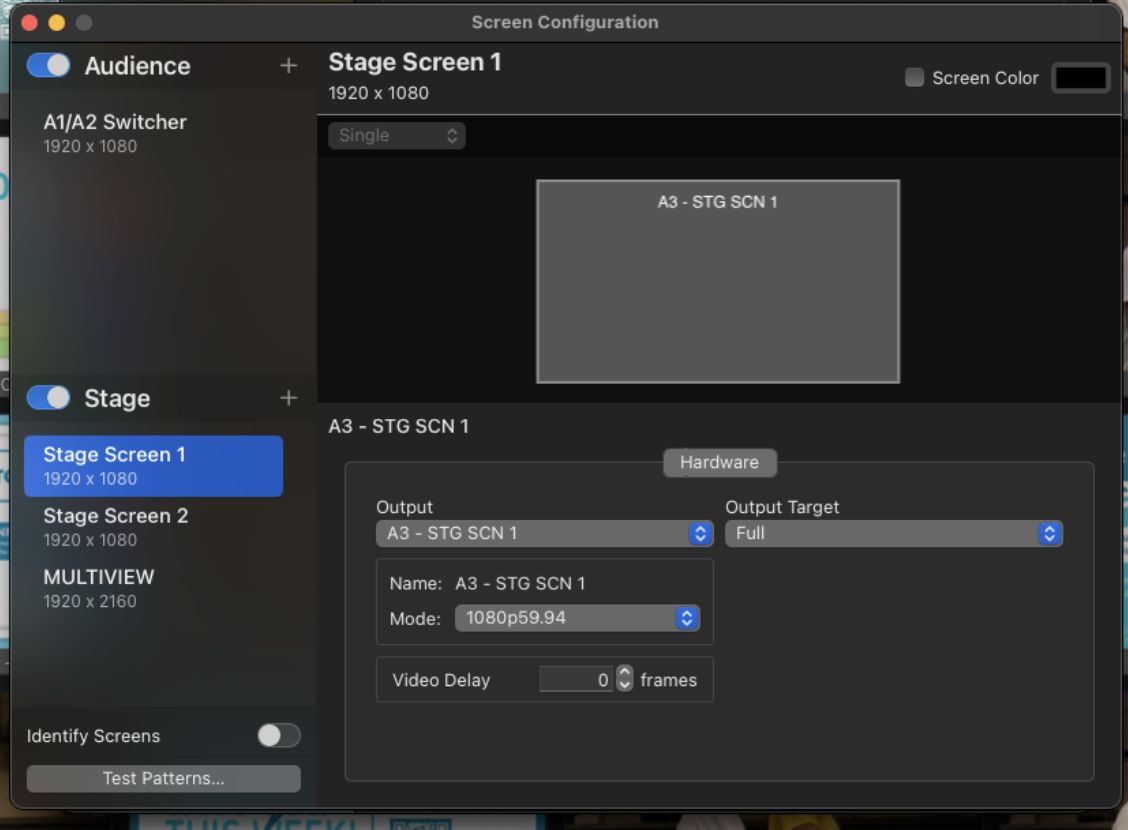 Do for Stage Screen 1 and for Stage Screen 2 (not pictured)
No comments to display
No comments to display