# Definitions
# Definitions
Some of the words and acronyms can be confusing, hopefully this list helps you work it out.
Because we're all in different places and doing different styles of shows some of these might not be entirely correct, but it's a place to start if you don't know what something means.
When there's multiple things that mean the same, or one thing that means many different things in different contexts, try and add all the definitions, and if you see something that you feel is wrong, discuss it with others and either update it or add an alternative definition.
## 2110
(*Pronounced twenty-one ten*) the SMPTE standard for professional media over managed IP networks. Typically refered to in a context of replacing serial digital interface ([SDI](https://videng.wiki/books/definitions/page/definitions#bkmrk-sdi)) with IP.
## ADA
Audio [Distribution Amplifier](#DA) or Analog Distribution Amplifier.
## ASI
Asynchronous Serial Interface. Method of carrying MPEG transport streams over coax or fibre.
## Aston
See [graphics](/link/163) definitions
Aston Broadcast Systems is a developer of PC-based graphics generation software. The word "aston" is often used generically to refer to the text/graphics themselves, especially in UK broadcasting. See also [CG](#CG), [Chyron](#Chyron), [Lower Thirds](#Lower_Thirds).
## Birdbeater
Placeholder content sent to transmission in order to positively prevent [Program](#Program) content from accidentally being sent to [transmission](#Transmission). May refer to the actual content itself or to an automated process which interrupts program content. "Bird" refers to a satellite. Example: ESPN may require transmission of a birdbeater when program is not on air in order to prevent hot mics from going to air.
## BP
Short hand for beltpack.
## Cart
Cart, or Cart Machine, refers to a hardware or software device used for audio playback, or to the input/source on a mixer/switcher/router designated for audio playback. Short for "Cartridge Machine," a tape-based playback device with a high channel count and relatively short playback time. Used primarily for jingles, bumpers, ads, and sometimes full songs. See also [Cartwall](#Cartwall)
## Cartwall
Software for one-shot playback of audio samples. The software may have additional features intended to make royalty payments on licensed content easier, such as timestamped logs recording the number of times a piece of content is played. See also [Cart](#Cart)
## CG
See [graphics](/link/163) definitions
Acronym for "Character Generator" or "Computer Graphics" which defines a machine or service that generates text and images to be used live on air.
Examples
- Ross Xpression
- Vizrt
- CasparCG
- ProPresenter
- [Aston](#Aston)
- [Chyron](#Chyron)
See also [Lower Thirds](#Lower_Thirds)
## Chyron
See [graphics](/link/163) definitions
Manufacturer of computer graphics generators. Name is often used as a generic reference to computer graphics. See also [Aston](#Aston), [CG](#CG), [Lower Thirds](#Lower_Thirds)
## Converter
Anything that processes and changes at least one of the following about a signal (but no limited to): formats, framerates, standards, color spaces, dynamic ranges, and resolutions. Typically hardware.
## Crosspoint
Technically, a point in a router/matrix where an input is routed to an output. Often a router is referred to as a crosspoint, even though it is made up of a matrix of crosspoints.
## DA
A Distribution Amplifier accepts a single input signal and provides the same signal to multple isolated outputs.
## Dante
Dante is a combination of software, hardware, and network protocols that delivers uncompressed, multi-channel, low-latency digital audio and video over a standard Ethernet network. Dante is an acronym for **D**igital **A**udio **N**etwork **T**hrough **E**thernet. Most of the time when people refer to Dante, they're referring to the audio related equipment or protocol.
## DCDA
Down Converting [Distribution Amplifier](#Distribution_Amplifier)
## Deck
TBD
## De-embedder
Most frequently refers to a device which takes an input with multiple types of data and extracts one or more types for isolated output. Should also have a "loop output" which passes the input signal unaltered. For example, an SDI to Analog Audio De-embedder should have an SDI video input, an SDI video output, and between 1 and 16 analog audio outputs.
## DUC
Down, Up, Cross. See [Up, Down, Cross](#up-down-cross)
## DVE
Digital Video Effects (sometimes Digital Video Engine). Most often refers to resizing, repositioning, or distorting an image. May also refer to the hardware or software processor dedicated to applying the effect.
## Embedder
Most frequently refers to a device which takes two or more
## Font
While broadly referring to a computer file to define character shapes, within broadcast, this word often refers to a specifc output of a [CG](https://videng.wiki/link/162#bkmrk-cg) system that is dedicated to outputting lower thirds and similar graphics, as opposed to bugs or popovers.
## Frame Sync
A frame sync, also known as a frame synchronizer, is a device or software used in a broadcast workflow to synchronize video signals. It aligns multiple video streams so that they are in the same phase and can be combined or switched seamlessly. This is important in situations where multiple cameras or sources are being used, as each may have slight differences in timing or phase that would cause issues when displayed or recorded. The frame sync compensates for these discrepancies to ensure a smooth and seamless output.
## Genlock
The state of equipment being locked to a frame. *Reference signal* (the signal that equipment locks to for timing) is often wrongly referred to as "genlock". See the Reference definition and Genlock & Timing info page for more details. TBD.
## GPI/GPO/GPIO
General Purpose Input, General Purpose Output, or General Purpose Input/Output. Often refers to bare wire connections or ports on a device allowing for serial communication or contact closure. Devices may have only GPI or GPO, but GPIO as a generic term may be used to refer to either/both.
Should be accompanied by a legend called a "Pinout" to indicate the function of each pin. Pinouts may be found in manufacturer documentation, but may also be printed directly on the device.
## Hot Punch
To switch a show directly on the program bus of the switcher without using the preview bus. This is generally not considered the "proper" way of using a switcher, as there is no room for error or correction, but is a technique that finds application in fast-paced environments such as certain live sports.
## Hybrid Router
A [router](#Router) that routes multiple levels of signals, such as Audio, Video, Ancillary, Time Code, etc.
## Ingest
Ingest, also known as capture or input, refers to the process of bringing video or audio content into a broadcast or film/video editing workflow. This typically involves the use of specialized hardware or software to transfer the media from its source, such as a camera or microphone, into the editing or broadcast system. Depending on the system, this process can include a variety of tasks such as digitizing the content, converting it to a specific format, and applying initial processing or quality control. Ingest is often the first step in the post-production process and sets the foundation for the further editing and broadcasting of the content.
## Jackfield
See: [Patchbay](#patchbay). A panel, often in a rack, where multiple physical signal paths are terminated. A jack may also be called a port or spigot, meaning a place where a plug is inserted.
## Lower Thirds
See [graphics](/link/163) definitions
Generic term used to refer to graphics/text overlay on the lower third of an image. May also refer to graphics/text overlaid in other areas of the image, but those may have more specific names such as:
Hat - typically placed across the top of the image
Ticker - a scrolling list which may appear anywhere in the image
Bug - a small, usually static graphic which most frequently appears in the corner of the image.
See also [Chyron](#Chyron), [Aston](#Aston)
## Master Control
Technical hub which is the final point in the broadcast chain before an over-the-air transmitter or cable/satellite providers. Typically refers to a physical control room or truck within a larger complex of control rooms.
## ME
Mix/Effect. Refers to the scope of processing within a video switcher focused on a singular program output and one or more preview/preset outputs, clean feeds, etc. Some manufacturers such as Ross Video have MiniME's which are not as powerful as full ME's. Most consumer-grade video switchers, such as the ATEM Mini or Roland V-4EX, have a single ME. Many software-defined video switchers have additional ME's either included or available for license.
An M/E comprises of a program bus, preview/preset bus, select bus, transition block, and typically, keyers. An AUX output is not typically considered an ME since it is frequently limited to hard cuts and does not "mix" video sources.
## Melt
A sequence of back-to-back clips played back over the air from the replay machine to a remote receiver such as the network, an affiliate station, host venue, etc. Often used in sports broadcasting to transmit highlights and player packages.
## MIP
Multi-Image Processor. Uncommon term for a multiviewer, may be manufacturer-specific. See [Multiviewer.](#multiviewer)
## Multiviewer
A generated display "mosaic" showing many small boxes with video signals displayed inside them. Also known as MIP, VIP (Evertz term), and Multiview/MV. Each individual box may be called a [PiP](#PIP), which stands for "Picture-in-picture."
## OpenGear
A frame and card standard created by Ross. The frame provides networking, control, and power to slots that can accept Open Gear cards. OpenGear X (OGX) is the newer standard with more power than OpenGear 3.
## NMOS
TBD
## Partyline
A group audio line within a production intercom system where all members of the partyline can hear and talk to all members within the partyline non selectively.
## Patchbay
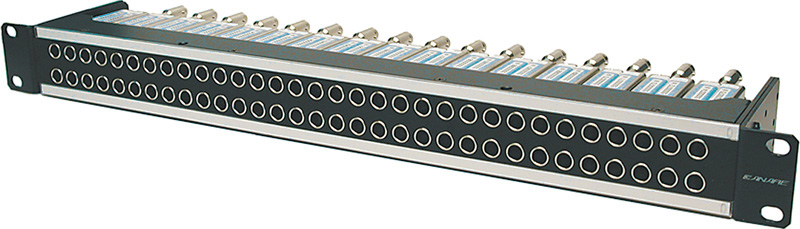
A rackmount interface that allows you to redirect video or audio signals from an input to an output. They come in "Normalled," "Half-normalled," and "Un-normalled/Non-normalled" versions.
Normalled patchbays internally connect the top row to the bottom row by default unless patched with a cable, which is called "breaking the normal." I.e., They are "normally" connected ;)
In a half-normalled patchbay, inserting a cable into the top row "taps" the signal, meaning it does not interrupt the flow from the top rear connection to the bottom rear connection. However, inserting a cable into the bottom row *does* interrupt the rear connections. (Note: half-normalled patchbays are uncommon in video and are more likely to be found in audio)
Un-normalled/Non-normalled patchbays have no internal connections and require the addition of a patch cable in order to complete a signal path. See also [Jackfield](#Jackfield)
## PIP
Picture-in-picture. May refer to either a single box within a [Multiviewer](#Multiviewer) or more correctly, the use of a [DVE](#DVE) to superimpose a small source on top of a larger image. A "picture inside of a picture".
## Program
May refer broadly to the primary content intended to be viewed by the audience, or more specifically to the main output of one or more ME's (Mix Engines) within a video switcher.
## Rattler
Originally a model of Telecast SDI over fiber optic conversion system, has become slang for any SDI over fiber conversion system.
## RCP
Acronym for "Remote Control Panel" known by some manufacturers as an [ROP](#ROP), or "Remote Operation Panel."
## Red Hat
Term used in college football to mean the Time Out Coordinator [(TOC)](#TOC). In the NFL, this position (TV Liason) wears a Green Hat.
## RFQ
**R**equest **F**or **Q**uote: a document that details pricing options for services or product(s). In Production, an RFQ is often used during the procurement process.
## ROI
Region of Interest. Refers to a selected part of a raster. Typically as a term for checking pixel values in a given "region" or scaling to a "region of interest" in the case of an ROI converter.
## ROP
Acronym for "Remote Operation Panel" known by some manufacturers as an [RCP](#RCP), or "Remote Control Panel."
## Router
A (typically) hardware device with either hardware or software control which takes multiple inputs/sources and routes them to multiple outputs/destinations. May route multiple levels (signal types). The act of routing a source to a destination is called "taking" a route. Some routers may take multiple routes at once by means of a macro or [Salvo](#Salvo).
The router may or may not be clean-switching, meaning the signal may or may not lose sync and drop when a new route is taken. Clean-switching routers typically add delay/latency in order to synchronize signals in a buffer.
## Salvo
A salvo is a feature found in some broadcast routers that allows the operator to preconfigure and quickly execute a set of crosspoint switching commands. A crosspoint is the point in a router matrix where a signal is routed from an input to an output. A salvo is a group of crosspoint switches that are activated simultaneously with a single command.
## Scan Converter
A device that converts computer signals into broadcast standard signals. Originally, this was for computer signals to analog TV signals, now it usually refer to any converter (including throwdown converters) that converts 60Hz to 59.94Hz and the like.
## SDI
Serial Digital Interface. Refers to a transport defined by SMPTE 259M, SMPTE 292M, and SMPTE 424M providing for transmission of digital video with embedded audio and ancillary data, most frequently over coaxial cable or fiber optic cable.
## Slate
See: [Graphics Definitions](/en/definitions/graphics#slate)
## Switcher
A switcher is a hardware device (or occasionally software) used in a broadcast workflow to switch between multiple video sources. It allows the operator to select which video signal is being output to the final destination, such as a live broadcast or recorded production. Switchers can be used in a variety of settings, such as live events, television shows, and news broadcasts, to switch between different cameras, pre-recorded segments, graphics, or other video sources. They can be operated manually or automatically, and can include features such as preview, transition effects, and keying.
See also [VMU](#VMU), [Vision Mixer](#Vision_Mixer), [TD (Technical Director)](#TD_(Technical_Director))
## Tally
Refers to the indicator (and respective signal) that tells the operator their input (typically a camera output) is "live" on the switcher. Red indicates the input is on program, and green indicates that the input is on preview.
Tally *signals* are generated by the switcher usually with contact closures or in the case of ATEMs, digitally on the SDI PGM feed ancillary data. Tally *indicators* are usually dots displayed on a viewfinder and/or actual lights that illuminate the appropriate color.
## Tally Whack
Triggering actions based on tally status. For example, tallywhacking audio might mean that when Camera 1 has an active tally state indicating that it's live in program, the audio associated with that camera is unmuted.
This is often accomplished by the use of GPIO triggers from a [video switcher](#switcher). The GPIO may consist of analog contact closure or network-based communication.
## Tape Machine
Used to refer to any device that can record or playback video regardless of whether it is recording to a linear or non-linear format. Tape Machines are not typically referred to by their engineering names, but are given names that are easier for the production staff to know what is on the machine or refer to it in their production.
Expand to see some common names
Red
Blue
Gold
Silver
Black
Laser
Elvis
Cash
Money
A
B
C
D
X
Y
Z
Disk
(The names of the producers kids)
See also: [VTR](#VTR), [Deck](#deck), [Replay](#replay)
## TD (Technical Director)
The person in a control room tasked with operating the video [switcher](#Switcher).
## Throwdown
A small, usually handheld size, device that can process a signal of some sort. May refer either to a device which cannot be rackmounted or to a rackmounted device being used without a rack. Some common throwdows are:
- SDI -> HDMI
- HDMI -> SDI
- SDI Up/Down/Crossconversion
## TOC
Time Out Coordinator. Communicates between the producer and referees. See [Red Hat](#Red_Hat)
## Track
Instruction to the A1 (audio) to bring up the level on a source. For example, "Track Red" means to unmute or raise the fader on the replay machine called "Red," and "Tracking talent" means to bring up the audio for the on-air announcers. See also "Sound full."
## Transmission
Transmission can refer to the act of actually transmitting a signal over the air, or in an OB truck, the signal that leaves the truck to be distributed.
## TX
See [Transmission](#Transmission)
## ISO
Isolation: A dedicated record of a specific source. Also used in the context of "Director ISO" and "Producer ISO" which are dedicated router outputs assigned to a router panel in front of those positions. Commonly used by a producer to show talent specific content without using the program monitor in the booth.
## UMD
Under Monitor Display. Source and operator name are common information displayed in a UMD. Modern UMD's are no longer physical devices below the monitors, but digital elements on a rendered multiviewer.
## UDX
Up, Down, Cross. See [Up, Down, Cross](#up-down-cross)
## Up, Down, Cross
Up, Down, Cross converter. A converter that can scale the raster up, down, and adjust temporal resolution (framerate).
## VDA
Video [Distribution Amplifier](#DA)
## VMU
Vision Mixer Unit, common parlance for users not in the United States. See [Switcher](#Switcher), [Vision Mixer](#Vision_Mixer)
## Vision Mixer
Common parlance for users not in the United States. Refers either to a video [switcher](#Switcher)/[VMU](#VMU), or to the person operating the video [switcher](#Switcher) who is more commonly known in the US as the [TD (Technical Director)](#TD_(Technical_Director)).
## VTR
Refers to a stand-alone record/playback device such as a Hyperdeck, Shogun Studio, or even a Betacam Tape Deck.
## White Hat
In sports broadcasting, may refer to the partyline designated for use by the Referee. May also include any IFB's or audio feeds to/from the Referee.
See also [Red Hat](#Red_Hat)
# Graphics Definitions
# Terms
## Asset
A designed graphic.
## **Aston**
An uncommon term for the lower third.
## Banner
An uncommon term for the lower third with no names. See [lower third](https://videng.wiki#lower-third).
## Board
See [full screen](https://videng.wiki#Full%20Screen).
## Bug
A small logo in a corner of the raster, can be animated.
 A bug in the right corner## Bump
"Or bumps" See bumper.
## Bumper
A transition video segment.
## Crawl
See [ticker](https://videng.wiki#ticker).
## Credit Line
Text on the raster crediting the source of the video or containing any credits (people recognized).
 A credit line that says “Source: me!”## Countdown
A displayed countdown clock, either generated live or a rendered VT.
## Double Box
The graphics background designed for a 2 Box PIP. Has holes left out for cameras.
## Duratran
Another name for a [full screen](https://videng.wiki#full-screen) graphic.
## Foxbox
See [score bug](https://videng.wiki#score-bug).
## Full Screen
A graphic that takes up the whole raster, can be a still or animated.
## Graphics Package
See [package](https://videng.wiki#package).
## Ident
See [slate](https://videng.wiki#slate).
## Insert
A graphic scheduled for within a broadcast segment rather than opening or closing.
## L-Bar
Graphics taking up 2 sides of the raster, typically found on weather news stations, for sports information, and re-broadcasted content.
## Live Bug
Text bug that indicates the video is live.
## Locator Line
The bug in the top which identifies where something was shot.
## Lower Third/Lower
A graphic that is in the lower third of the raster and typically has names and story titles. Commonly abbreviated L3 or just called “lower”.
## Motion Graphic
An animated VT that often features 3D effects and visual eye candy along with logos and branding.
## Motion Background
A VT similar to a motion graphic, but has no text and is primarily designed or filmed for background use, such as during keying.
## Name Plate
A [lower third](https://videng.wiki#lower-third) that is specifically for names of people and typically contains their title or position.
## Name Slide
An uncommon term for a [name plate](https://videng.wiki#name-plate).
## Open
A motion graphic VT that animates in the segment title or network name.
## Over the shoulder/OTS/OC
See [shoulder](https://videng.wiki#shoulder).
## Overlay
Any graphic that is keyed on top of video.
## Package
A group of graphics with a specific purpose or topic.
## Phoner
A full-screen graphic that appears when there is no video that is displayed e.g. when someone is calling in by phone.
## Rundown
A graphic that displays upcoming segments.
## Score Bug
A [bug](https://videng.wiki#bug) that shows live updating scores, typically small to minimize distraction, although networks have been known to make them larger almost to the size of lower thirds.
## Shoulder
A graphic that appears next to or behind the shoulder of a person.
## Sidebar
A graphic that appears to one side of the raster. Typically a 50/50 or 25/75 or a 30/70.
## Slate
A full-screen graphic that contains technical information, not for live use.
## Slide
A single static frame full screen graphic, typically coming from an external CG/COMP.
## Snipe
A graphic that promos a future program.
## Split Screen
A 50/50 sidebar.
## Spot
A commercial.
## Sponsor Slate
A graphic, typically full-screen, that has sponsor logos. Does not have technical information.
## Still
A single static frame full screen graphic or background, typically stored in the switcher.
## Stinger
A quick graphic, typically animated, for transition between segments, camera shots, or other graphics.
## Ticker
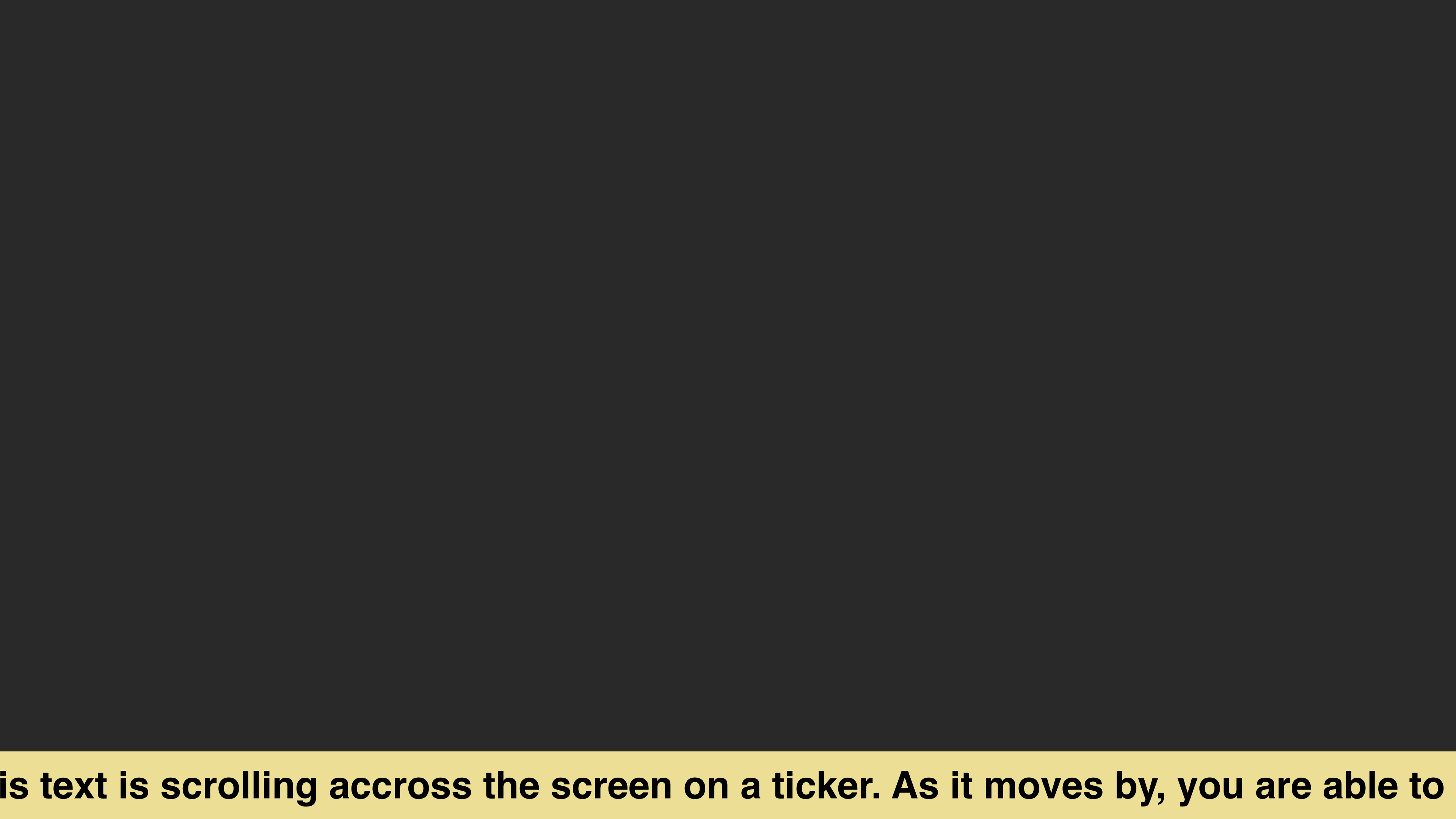
Scrolling text at the bottom of the raster.
## Tier
A line on a lower third. e.g. a single-tier lower third.
## Time & Temp Bug
Text bug that has the time and temperature.
## Title Card
A full-screen graphic with the show or segment title, typically displaying “up next”.
## Tombstone
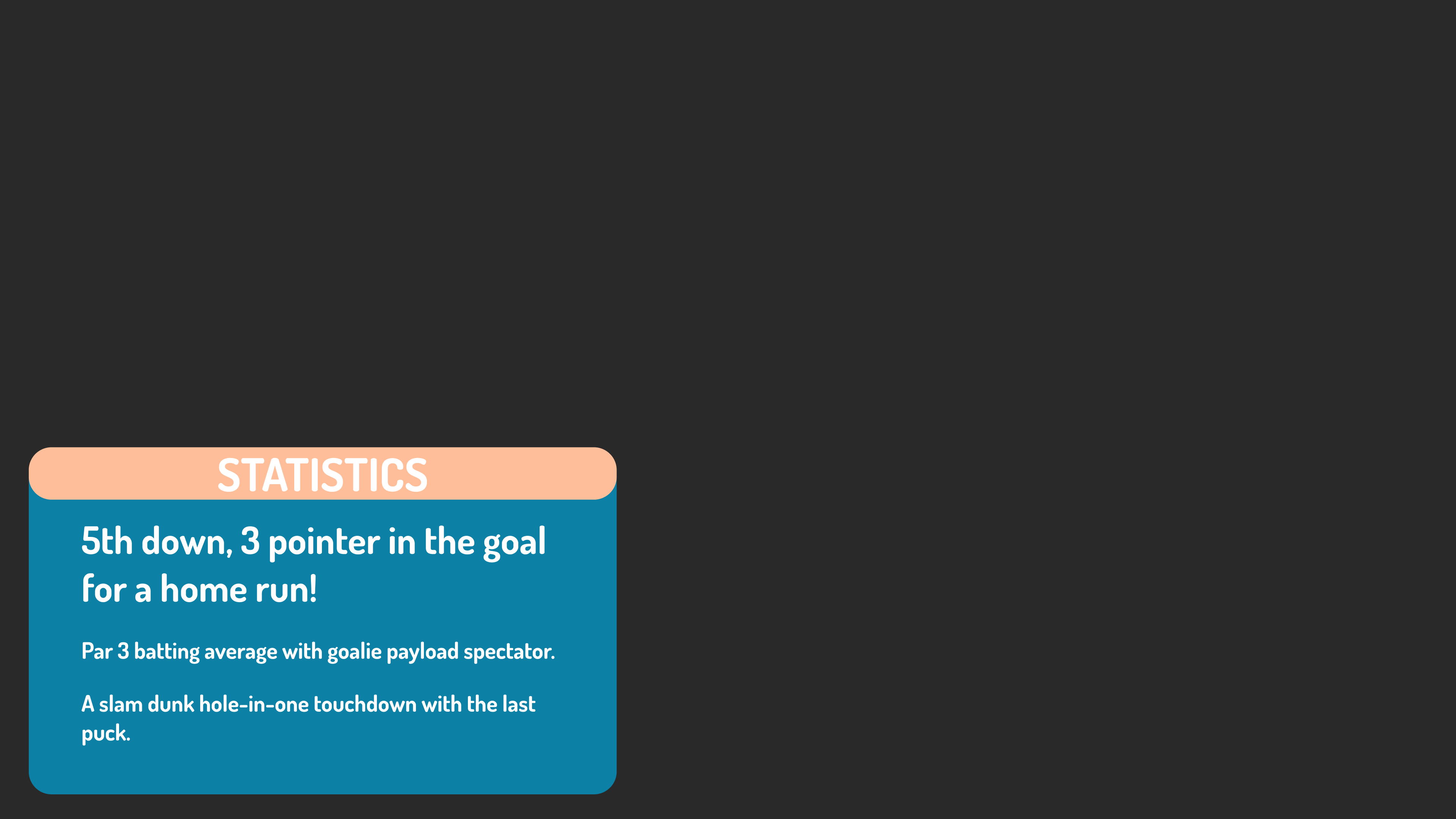
A graphic that appears typically in a lower quadrant of the screen, typically with gameplay information (in sports broadcast).
## VT
See [video track](https://videng.wiki#video-track).
## Video Track
A video clip/file, formerly a video tape track.
## Watermark
A translucent bug typically for the purpose of branding a source for copy protection.
# Genlock
**Genlock** (generator lock) is about syncing broadcast devices so that they will create video frames at the same moment in time.
Technically speaking, genlock refers to the state of devices being “genlocked” to a sync signal. This sync signal is properly called a **reference** signal, but often colloquially, the term “genlock” is also used to refer to the reference signal itself as in “apply genlock to that device”.
> This reference guide will use the proper terminology, rather than colloquial.

Evertz 5601
All devices need a reference signal of some sort. If you don't supply it externally, devices will usually “free-run” on an internal reference. Some may also derive sync from an incoming video signal (using the video signal as a reference). If the device has a “reference in” port, it can run receive an external reference signal.
To generate your chosen external reference signal(s), you need a sync pulse generator.
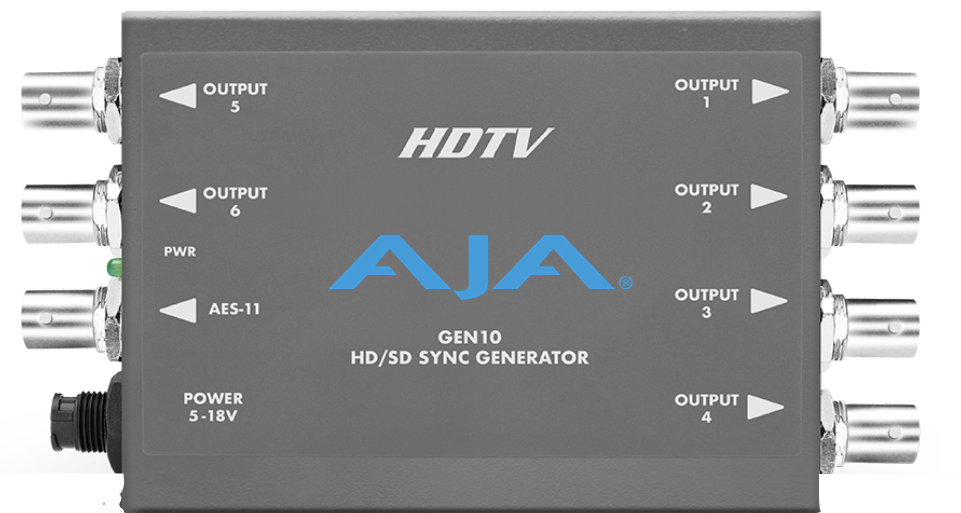
AJA GEN10
This could be something basic like an AJA GEN10, or a full blown master clock like an Evertz 5601.
There are two types of external reference signals:
- Blackburst (bi-level, black and burst)
- Trilevel
# Distributing External Reference
External reference signals are analog signals so you need an analog distribution amplifier to distribute it, not an SDI DA. Devices synced to external reference will perform actions (such as CUT on a switcher or switching signals on a router) in time with the external reference.
# Sync Offsets
Even if you genlock everything to external reference, you may still have to adjust the sync offset on individual devices. This is most notable on graphics sources, as you may notice a small gap at the top or bottom of the image. To do this properly you need a real scope that can measure timing offsets.
Some devices lack this timing offset. You may have to steer an extra output of your sync pulse generator to handle this.
# Terminating
Reference signals needs to be terminated. Each output that is in use should be terminated exactly once. Some devices will do this for you, some will have a switch, some will do it automatically when the loop through is not connected, and some will not do it at all and you will have to provide your own external terminator. You will usually need to read the manual to figure this out.
# Deriving Sync In Other Ways
In lieu of an external reference signals, the device may have frame synchronizers built into its input stage. Lower level/prosumer gear often has this on all inputs. As you move up to mid-tier and higher level gear, this feature usually goes away as external reference is expected.
To genlock a wild signal without a proper external reference signal, the device uses a frame synchronizer. A frame sync will buffer a few frames and add or drop them as necessary to bring the source in time. This may be fine in a small setup where you genlock to an external reference signal what you can, and rely on internal framesyncs for the rest.
## However, there are things to watch out for:
Frame syncs inherently add delay.
- If every device has to frame sync its inputs, delay can add up, which is usually undesirable, especially in IMAG situations. If you can genlock to an external reference signal, you can mitigate this.
- On some lower tier gear, you cannot disable the framesyncs, even if you can genlock the output of the device.
#### More Reading:
[https://www.analog.com/en/analog-dialogue/articles/phase-locked-loop-pll-fundamentals.htmlx](https://www.analog.com/en/analog-dialogue/articles/phase-locked-loop-pll-fundamentals.htmlx)
[https://resi.io/blog/what-is-genlock/](https://resi.io/blog/what-is-genlock/)
### Comments
The following is a synopsis from [a Reddit post](https://old.reddit.com/r/VIDEOENGINEERING/comments/zmbei5/genlock_basics/j0adqy8/) by [Eviltechie](https://old.reddit.com/r/VIDEOENGINEERING/comments/zmbei5/genlock_basics/j0adqy8/) and with slight modifications by [IanTech](https://discord.com/channels/494428283094564864/494428283568390147/1078067173345472635) based on this [post](https://discord.com/channels/494428283094564864/564260039406125086/968950187290656798).